
Partial Keyword Matching for Inbox automations
Details
What’s new?
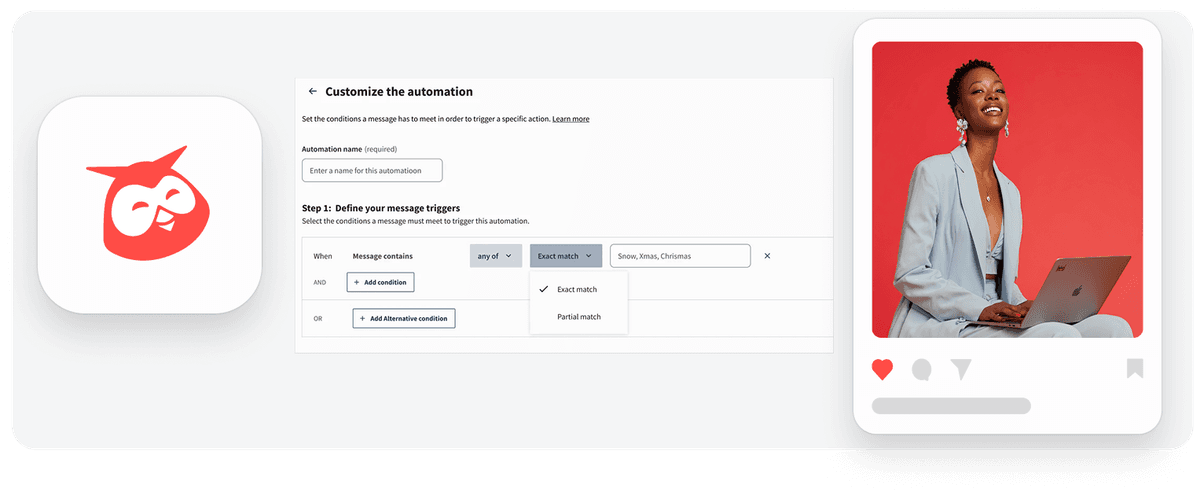
You can now choose how keywords trigger your Inbox automations by selecting either Exact match or Partial match.
Previously, keyword automations only supported exact matching. With this update, partial matching allows automations to detect broader keyword variations. For example, the keyword “snow” can also match words like “snowflake.”
Existing automations will remain set to Exact match by default and will only change if you update them manually.
Why this is important
This update gives teams greater control and flexibility when setting up Inbox automations. Benefits include:
Capture more relevant conversations without adding many keyword variations
Improve automation accuracy by choosing between precise or broader matches
Save time managing automation rules
This helps teams ensure that important messages or mentions are automatically surfaced, routed, or acted upon.
How it works
When creating or editing a keyword-based automation:
Enter a name for your automation.
Select Add condition and choose a keyword trigger.
Configure your keyword logic:
Define the logic: Trigger automation when all or any of the keywords are present.
Set the match type:
Exact match — triggers only for the exact word (e.g., snow).
Partial match — triggers for broader variations (e.g., snow also matches snowflake).
Enter your keywords, separated by commas.
Save your automation.
Learn more in the Help Center.
Please complete the form to learn more
* indicates required fields
Related updates

AI Widget Insights Enhancements
AI Widget Insights enhancements now let you generate up to 6 AI summaries per page, view them on table widgets, and compare full-screen insights side by side against the source data.

Unified Filters
Unified Filters lets you set Tag, Auto tag, and Campaign filters once and apply them across every connected network, so your reports stay consistent without repetitive setup.

WhatsApp Coexistence in Business App and Cloud API
WhatsApp Coexistence lets you connect to Hootsuite's Cloud API while keeping your WhatsApp Business App active, so you can manage conversations from either

Unlock insights tailored to your business
Get your zero-risk trial to see how Hootsuite can power brand growth with the industry’s deepest insights.